
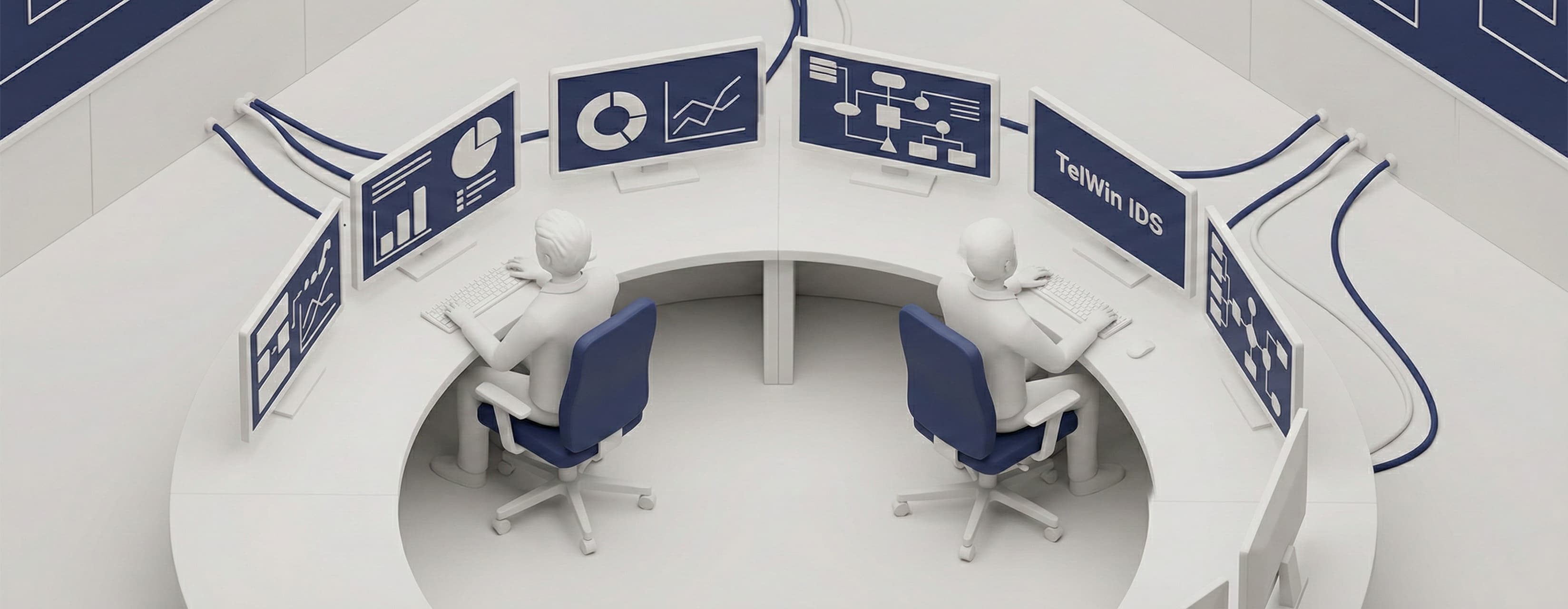
TelWin IDS Integrated Dispatch System
The TelWin IDS system fills the gap between a typical SCADA system and a task management system, integrating process data with dispatcher notes.

About TelWin IDS
TEL-STER's many years of experience in the SCADA systems sector have resulted in the introduction of the TelWin IDS Integrated Dispatch System, which is the result of integrating two of the latest products: TelWin SCADA 6 and TelNOTE 3.
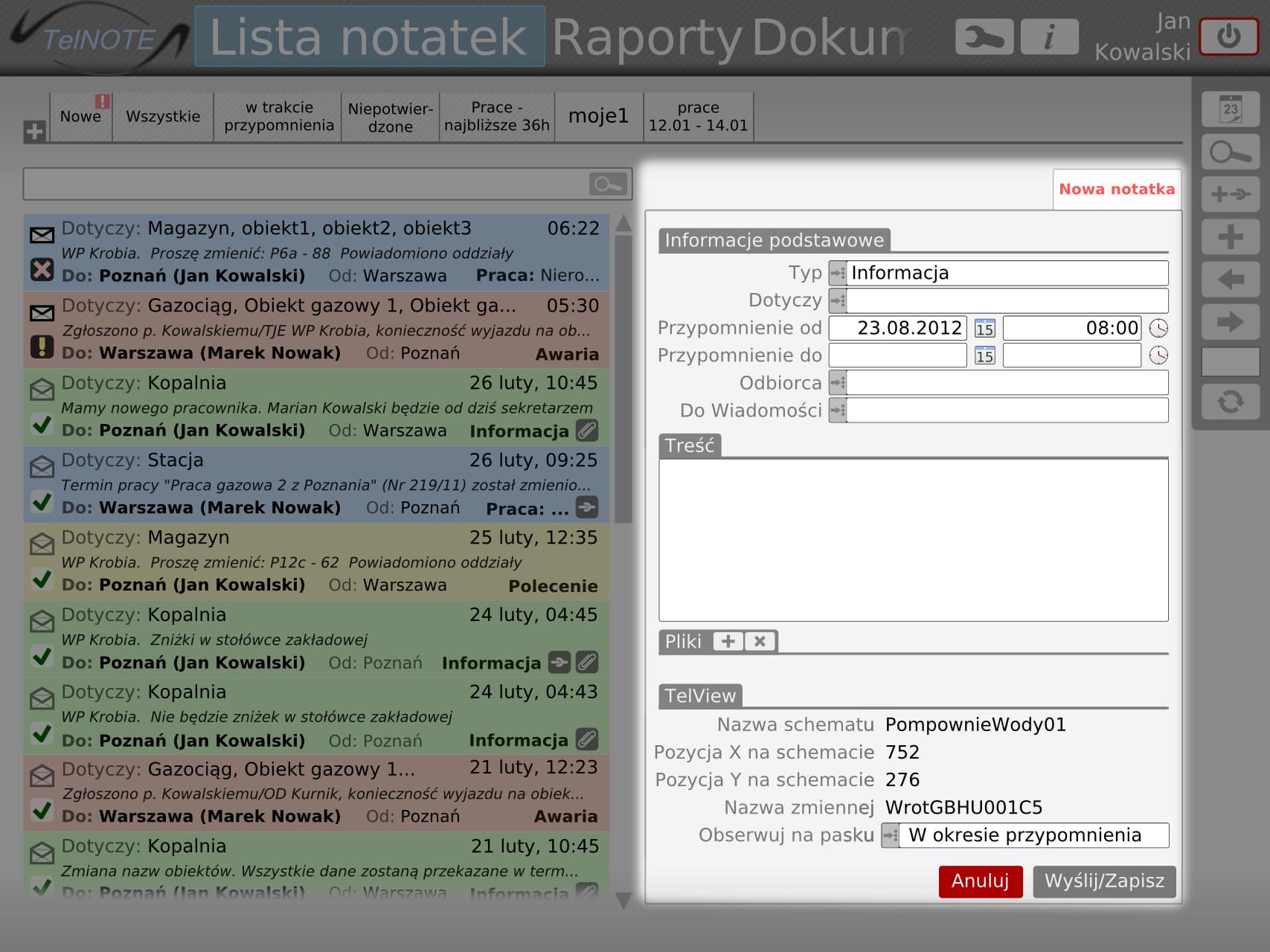
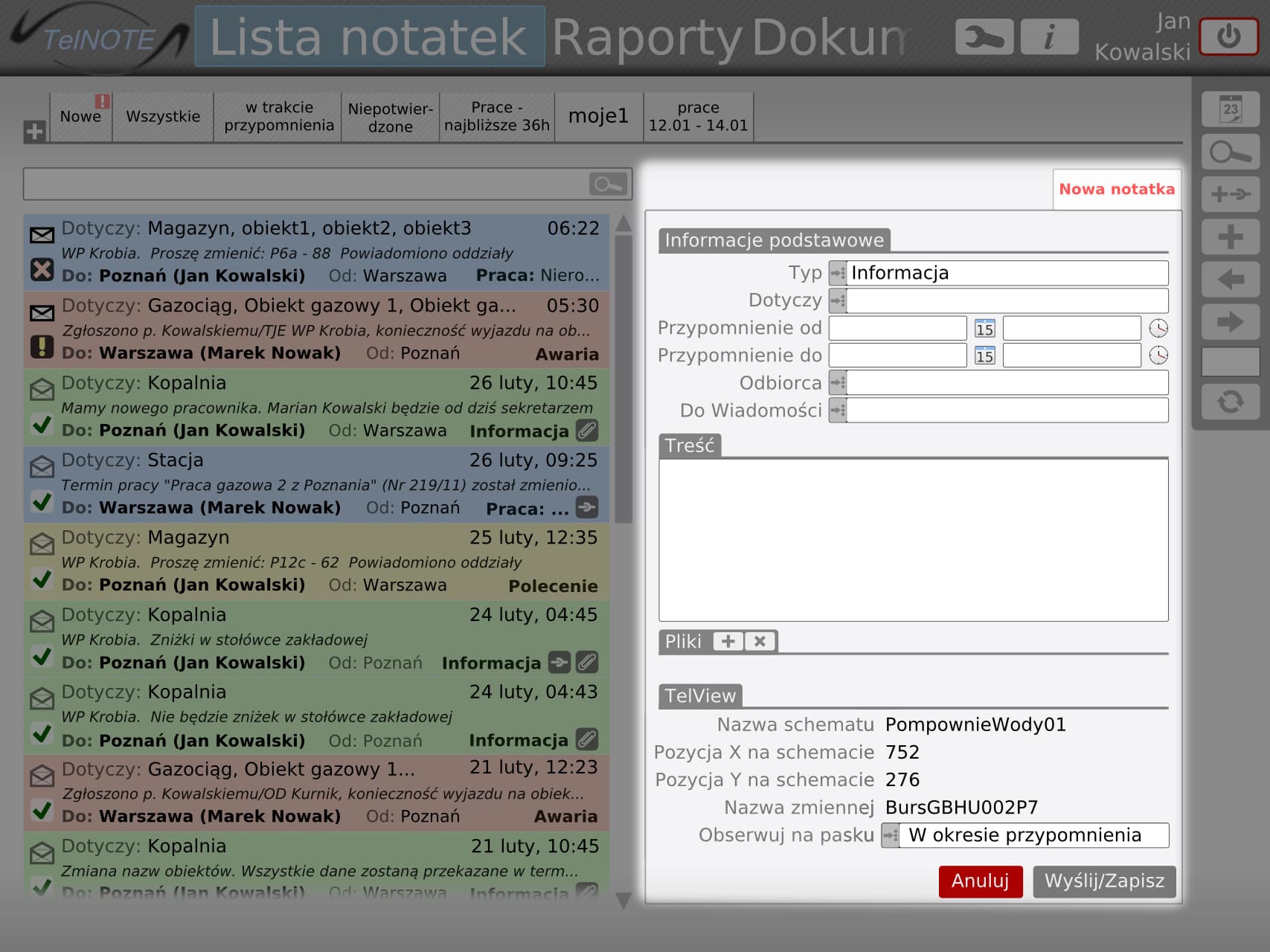
The proposed solution fully integrates the SCADA environment – the TelWin system – with the dispatcher's notebook – the TelNOTE system. Users have full access to information (notes, messages, documents) collected in the TelNOTE system directly from the SCADA system console.
Key integration features:
- TelNOTE messages as a scrolling ticker in the SCADA console
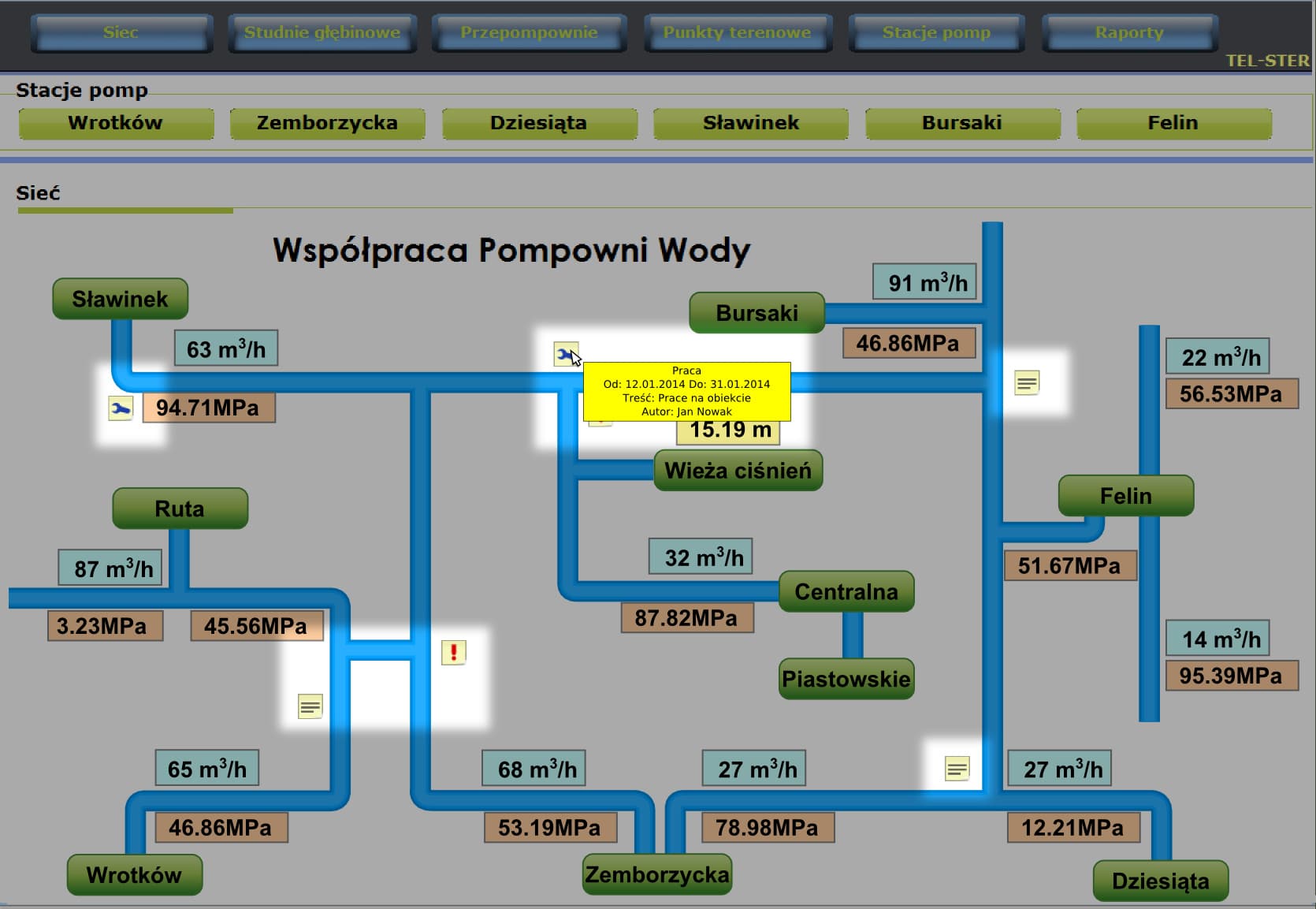
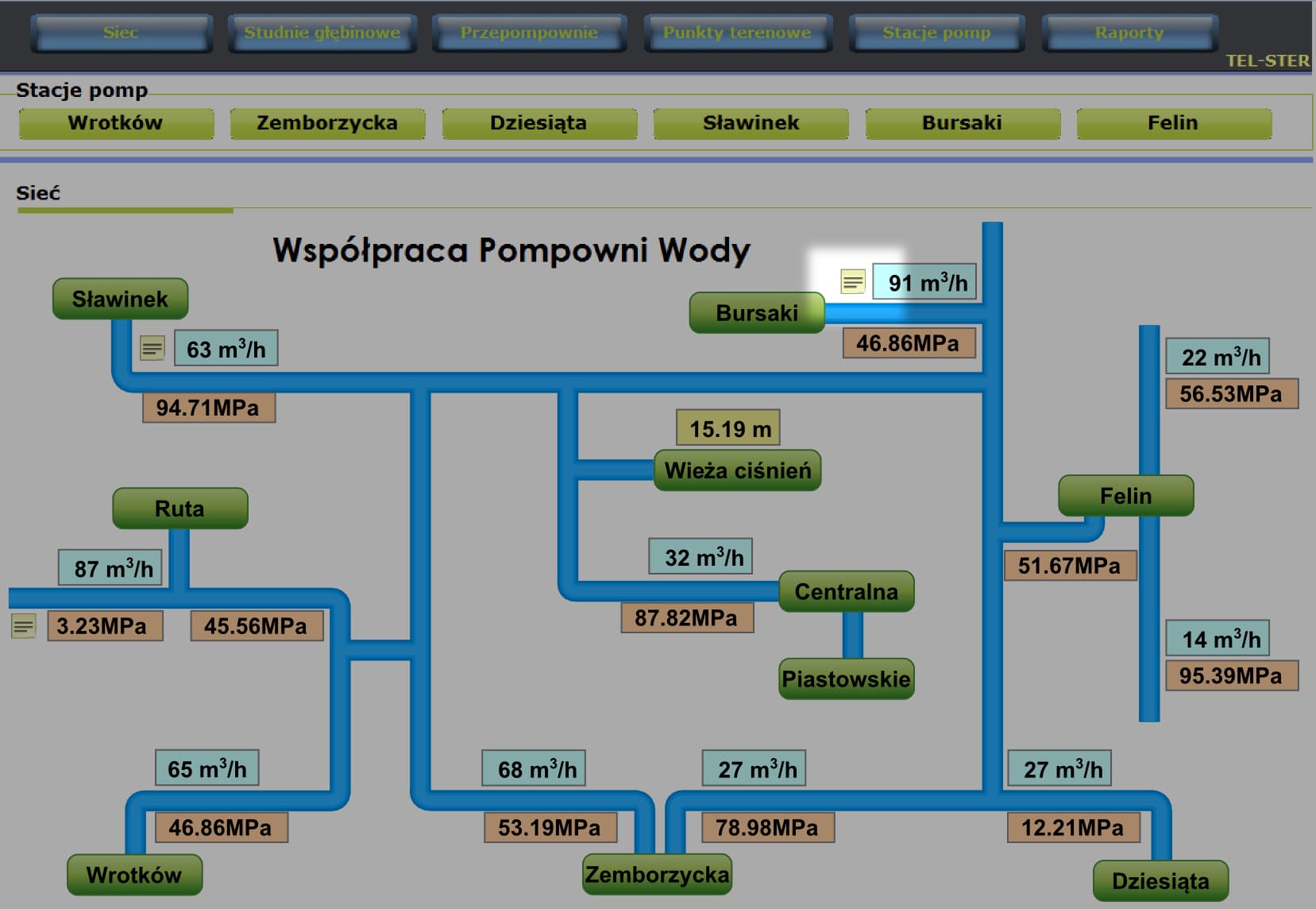
- Notes presented as icons on technological diagrams
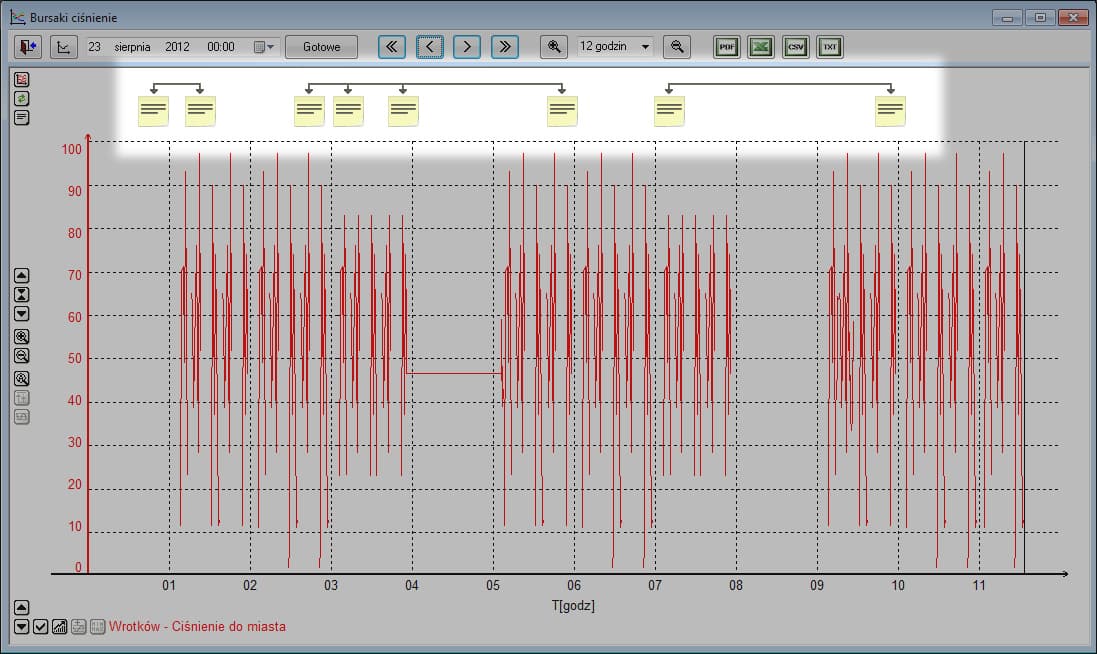
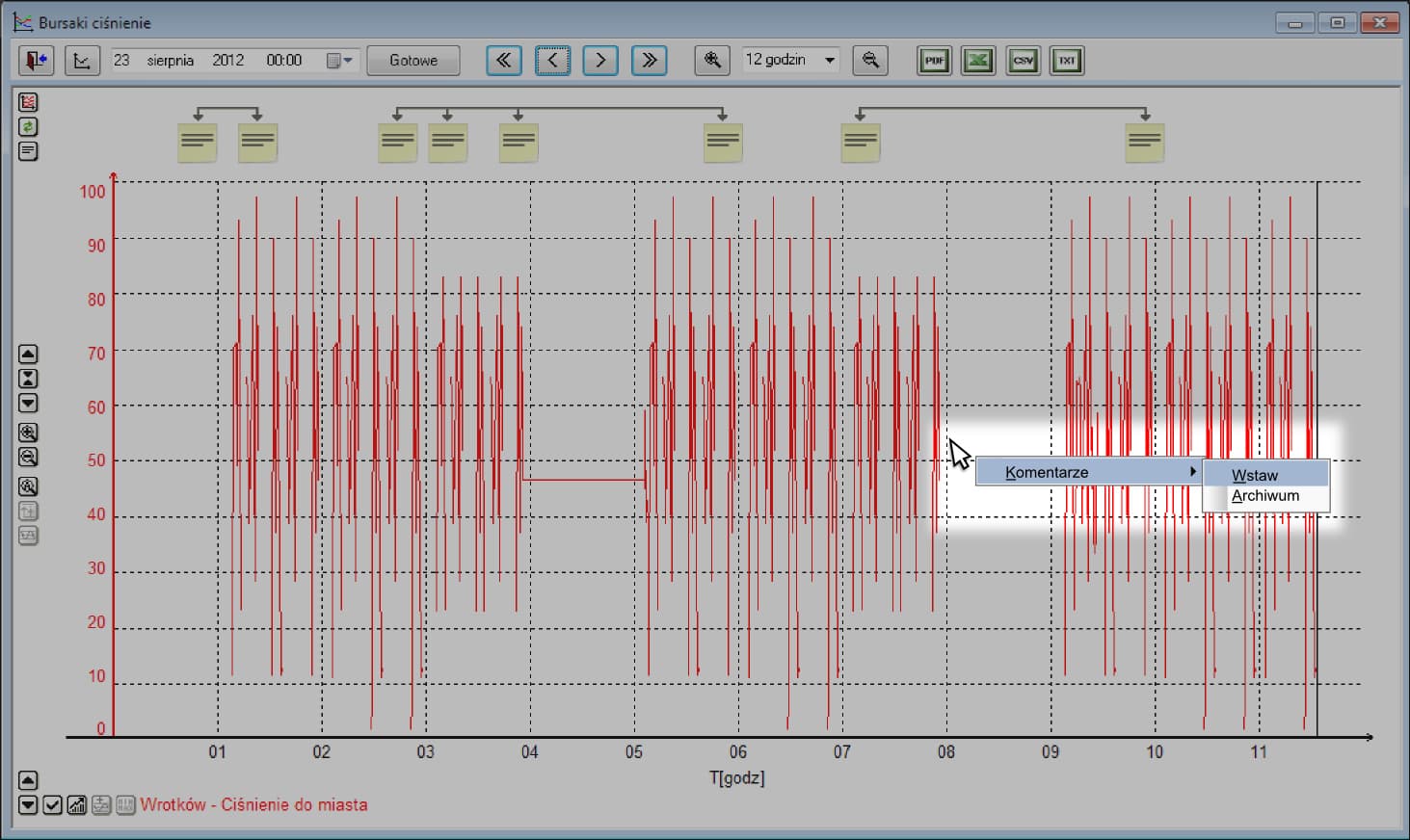
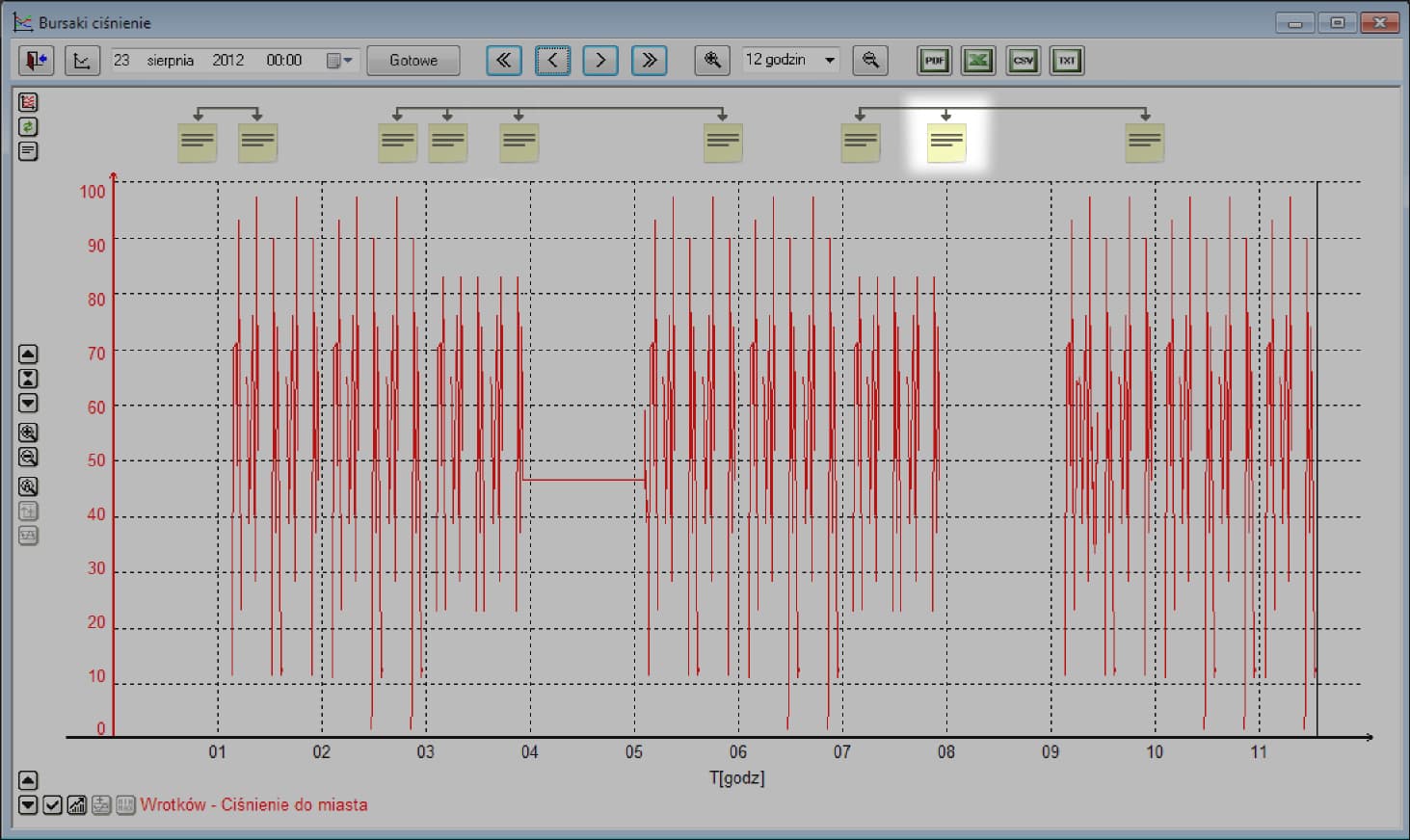
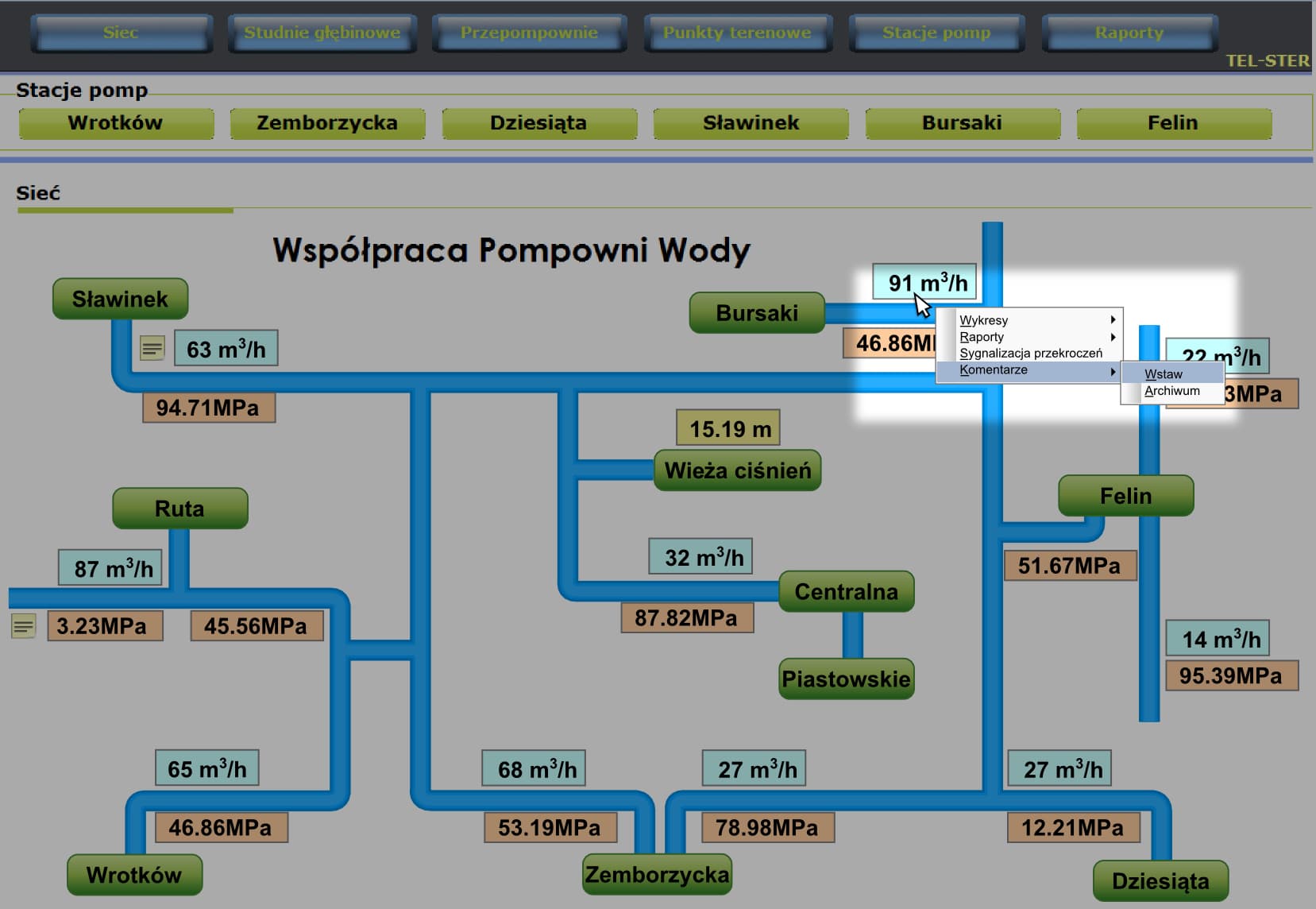
- Commentary on measurements directly from the diagram level
- Presentation of archival data in connection with notes
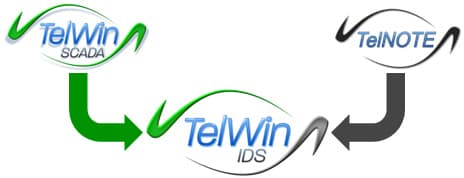
Rys. 1: Architektura systemu TelWin IDS
Kluczowe Funkcje
Integracja TelWin SCADA i TelNOTE przynosi wymierne korzyści.
IDS Console
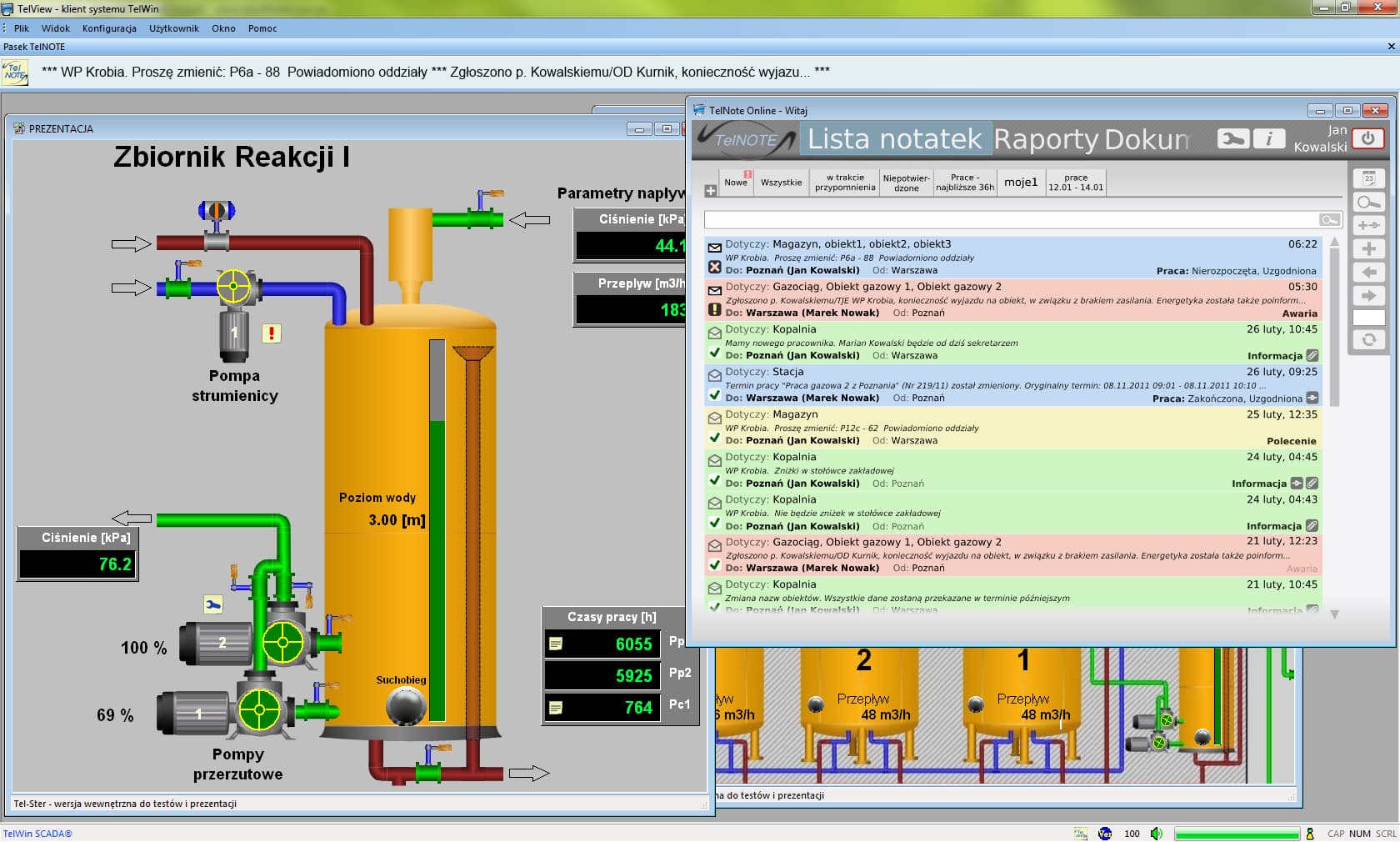
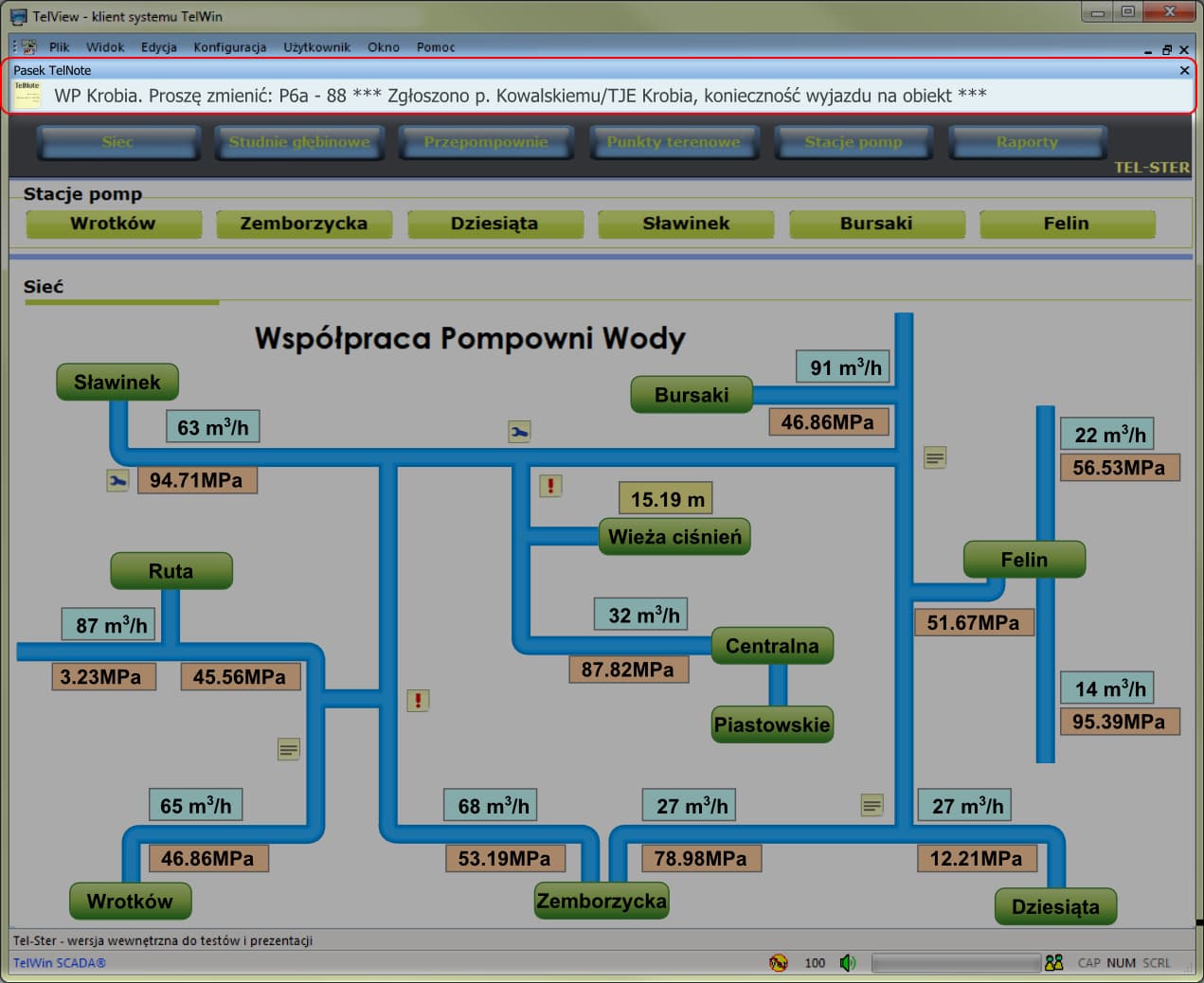
An information ticker displaying selected messages from the TelNOTE system directly within the SCADA synoptic window.
Integration with Diagrams
Ability to place graphical symbols for notes on technological diagrams. Quick note content preview on hover.
Measurement Comments
Adding comments to specific measurement values on charts.
Archive with Context
Reviewing the measurement archive along with plotted comments.
Szczegóły Rozwiązania
Poznaj techniczne aspekty integracji.
TelNOTE Ticker
In an extensive organizational structure, publishing selected information on the so-called TelNOTE ticker is a very useful feature. The texts are displayed similarly to TV news tickers.
Symbols on Diagrams
Users can place a graphical symbol for a note, an alarm description, or maintenance/repair work on a technological diagram. These elements can be presented within specified time intervals.
Charts and Archive
Comments appear as markers on archival charts. Clicking a marker opens the full text of the note, allowing for rapid analysis of the causes of unusual trends.